Heart rate monitor with apple watch: wrist vs chest strap
The built-in Apple Watch heart-rate sensor is not “inaccurate.” That is the lazy internet version, usually delivered by someone trying to sell you a strap, a subscription, or a new anxiety.
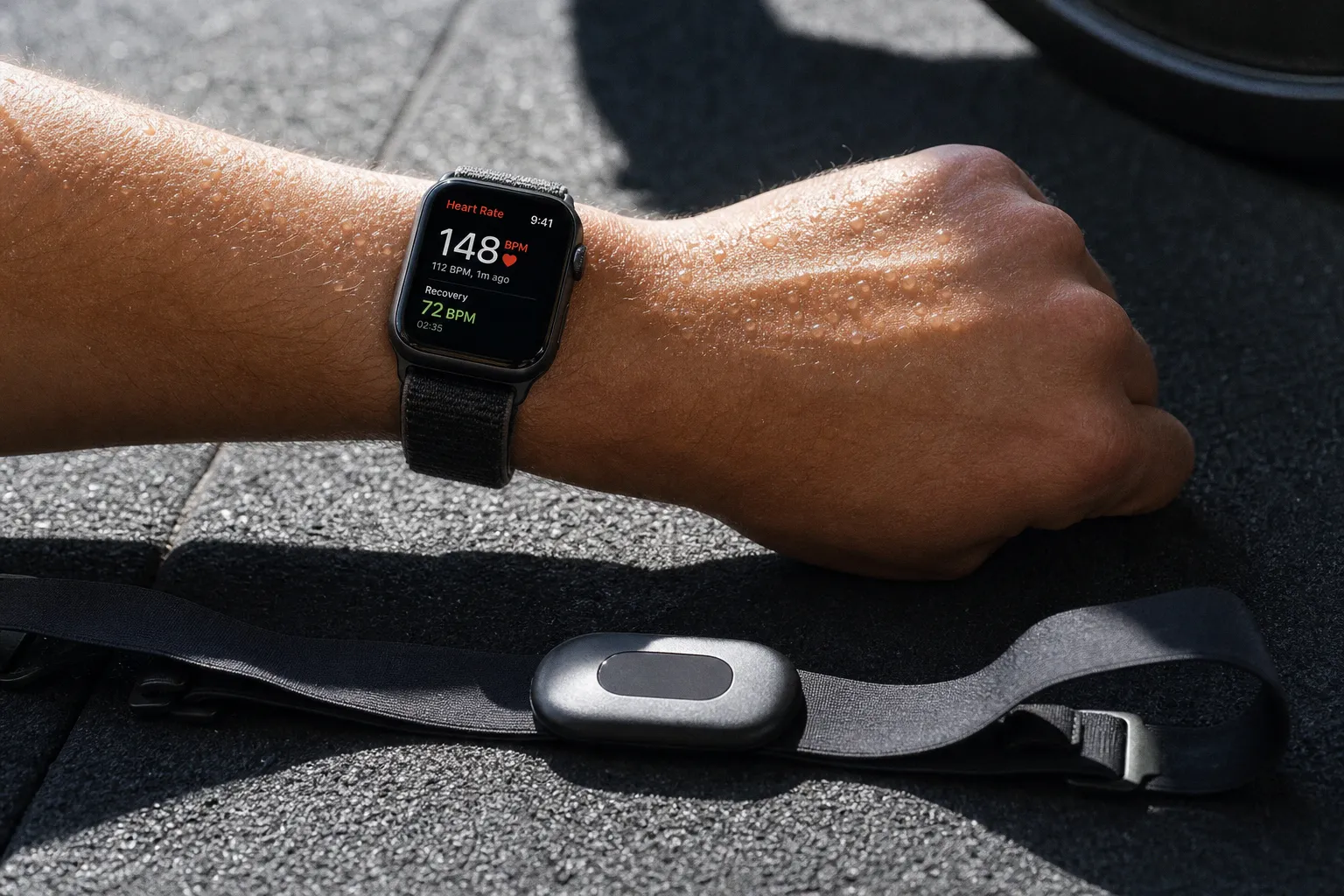
Heart Rate Monitor with Apple Watch: Wrist vs. Chest Strap
The more useful answer is less dramatic: a wrist sensor is often very good at reading a stable pulse, and much less dependable when your arms, grip, pace, and blood flow are changing faster than its algorithm can keep up.
For an easy run, steady bike ride, or a long walk, the watch on your wrist may be entirely sufficient. For intervals, threshold sessions, hill repeats, and any workout where one missed reading can push you into the wrong training zone, an external heart rate monitor with Apple Watch support is a sensible upgrade. Not because chest straps are sacred. Because the physiology and measurement method are different.
The mechanics: what the Apple Watch is actually measuring
Apple Watch measures heart rate at the wrist through photoplethysmography, usually shortened to PPG because apparently nobody in consumer technology can resist an acronym. Green LEDs shine into the skin, and light-sensitive photodiodes detect changes in blood volume underneath. More blood flowing through the wrist with each beat changes the reflected light pattern; the device turns that signal into a heart-rate estimate.
Apple says its optical sensor works across a range of 30 to 210 beats per minute and flashes its LEDs hundreds of times per second. During a Workout app session, it measures continuously, then continues tracking for three minutes afterward to calculate workout recovery rate.
That is a sophisticated system. It is not an ECG.
A chest strap uses electrodes against the skin to detect the heart’s electrical activity. In plain terms, the strap is measuring the event that causes the beat; the watch is interpreting blood-flow changes that follow it. Both can produce useful training data. But the wrist method has more opportunities to get distracted by movement, poor contact, cold hands, sweat, skin motion, or the entirely unreasonable demand that you swing kettlebells while it reads a tiny optical signal through your wrist.
The Apple Watch sensor does best when these variables are boring:
- The watch sits snugly above the wrist bone without sliding.
- Your pace stays relatively even for several minutes.
- Arm motion is repetitive rather than chaotic.
- Skin temperature and circulation are normal.
- You are not gripping a bar, handle, or trekking pole hard enough to alter blood flow at the wrist.
That list describes steady aerobic work rather well. It does not describe a typical hard circuit class.
A wrist sensor is not a bad tool. It is a context-sensitive tool, which is less exciting than marketing but much more useful.
Chest strap vs. Apple Watch sensor: the data is not a tie
The broad pattern in validation studies is clear. Apple Watch can perform strongly during controlled aerobic exercise, but an ECG-style chest strap remains the better-supported choice when high measurement accuracy is genuinely imperative.
In a 2017 comparison of 50 healthy adults against ECG, the Polar H7 chest strap showed the strongest overall agreement with the ECG reference: a concordance correlation coefficient of 0.996. Apple Watch recorded 0.92 across the tested exercise conditions. A 0.92 result is not embarrassing. It is substantially better than the “your watch is random” nonsense that floats around training forums. But it is also not the same result as 0.996.
The same research found that exercise mode mattered. Apple Watch showed acceptable agreement during cycling, while none of the tested wrist devices reached acceptable agreement during elliptical exercise with moving arm levers. That makes sense: more arm movement means more noise in the optical signal. The machine did not become hostile to science. The measurement conditions became harder.
A 2020 study of 25 participants tested Apple Watch Series 4 against a Polar H7 during sitting, walking, running, and intermittent sprints. Across the tested intensities, the Apple Watch had the lowest heart-rate error among the wrist wearables studied. Its coefficient of variation ranged from 0.9% to 4.3%. For many recreational athletes, that is a perfectly workable baseline for routine training.
More recent work comparing Apple Watch and a Polar chest strap found very high correlation during treadmill and cycling work: 0.99 at low and moderate treadmill intensity, 0.96 at high treadmill intensity, and 0.99 across low, moderate, and high cycling intensity. But correlation is not a clean bill of absolute accuracy. Two devices can rise and fall together without either being compared directly to ECG in that particular study. This distinction is tedious, which is precisely why it gets ignored in product headlines.
| Training context | Apple Watch wrist sensor | Bluetooth chest strap |
|---|---|---|
| Easy running at a stable pace | Usually sufficient if fit is secure | More data than most athletes need |
| Steady indoor cycling | Often strong | Useful, but not mandatory for basic zone work |
| Long aerobic rides | Practical and low-friction | Better if you use HR for precise pacing or drift analysis |
| Threshold intervals | Can lag during sharp changes | Better suited to rapid intensity changes |
| Sprints and repeated hard efforts | May smooth, lag, or briefly misread | Usually the more defensible choice |
| Strength training | Readings can be disrupted by gripping and wrist flexion | Often more stable, though not a magical truth machine |
| Mixed-modal circuits | Variable; arm movement is the problem | Usually preferable if heart rate drives the session |
There is no universal beats-per-minute error number for Apple Watch. Anyone giving you one without specifying the watch model, workout type, fit, temperature, skin characteristics, and intensity is selling certainty in a field that does not contain much of it.
When your watch is enough—and when it is not
I would not tell a recreational athlete to buy a chest strap just to record a 45-minute recovery jog. You do not need laboratory-grade measurement to confirm that you ran easily. If your pace is conversational, your breathing is controlled, and your watch says you stayed in a plausible aerobic range, the training decision is already made.
The strap earns its place when heart rate is being used to make a narrow decision. For example:
1. Threshold sessions where you cap intensity deliberately. If you are trying to hold a controlled effort just below a physiological threshold, a lagging reading can make you chase numbers rather than manage effort. A chest strap reduces one source of confusion.
2. Intervals with short work bouts. During 30-second repeats, the heart rate itself lags behind effort. Add optical-sensor lag and you have a delayed estimate of an already delayed signal. The watch can still log the session, but it should not be the sole judge of whether each rep was “right.”
3. Cycling with power-based training. A cycling power meter tells you what work you produced; heart rate tells you part of the internal response. If you are comparing power, heart rate, heat, fatigue, and recovery over time, cleaner HR data becomes more valuable.
4. Heat, dehydration, or accumulating fatigue. Heart-rate drift on a long ride or run can be meaningful, but only if the measurement is stable enough to distinguish physiology from sensor noise. Do not turn every 8 bpm wobble into a hydration crisis.
5. Coaching or structured data review. If a coach uses heart-rate files to set zones or inspect pacing, a chest strap removes a variable. That does not make the resulting plan infallible. It just means fewer bad inputs get to dress up as precision.
For easy mileage, wrist data is generally enough. For sessions that are supposed to be hard, controlled, or analytically comparable, use the strap. That is the whole decision, minus the gadget drama.
The more your session depends on a precise heart-rate number, the less sensible it is to rely on the measurement method most vulnerable to motion.
Optical vs. electrical accuracy is not the only issue
Athletes often frame this as “which device is more accurate?” That is necessary, but incomplete. The more practical question is whether the reading will change your behavior appropriately.
Suppose your Apple Watch reads 165 bpm during a sustained run, but your effort is controlled, breathing is predictable, pace is stable, and the number fits your normal range. Whether an ECG strap would have said 163 or 167 is not going to alter the session. Chasing perfect measurement there is mostly consumer electronics dressed as discipline.
Now take a session of hard hill reps. Your watch reads 142 bpm immediately after a brutal climb, then jumps to 176 bpm while you are walking downhill. You know the first number is implausible, and the second has arrived after the relevant effort. In this setting, the data can actively encourage bad decisions: adding effort because the reading is low, or backing off because a delayed spike looks alarming.
The problem becomes more obvious in free-weight training. Wrist flexion, gripping, bar contact, chalk, sweat, and rapid changes between exercises are not friendly conditions for optical monitoring. The available evidence does not establish a direct ECG-based Apple Watch-versus-chest-strap comparison specifically for free weights, CrossFit-style training, or field sports. So I will not pretend there is a neat numerical verdict. The practical verdict is enough: if heart rate matters during dynamic training, the wrist is a difficult place to measure it.
And if heart rate does not matter during lifting, stop staring at the number. Track load, repetitions, range of motion, session quality, and recovery. Your cardiovascular response is interesting; it is not the primary performance metric for a set of squats.
Pairing a heart rate monitor to Apple Watch
Apple Watch can connect directly to compatible Bluetooth heart-rate monitors. This is worth stating because many athletes unnecessarily route everything through a phone, then blame the watch when their setup resembles a small municipal IT department.
To pair an external heart rate monitor with Apple Watch:
1. Put the chest strap or other Bluetooth heart-rate accessory into pairing mode. For a chest strap, wetting the electrode areas and wearing it is often what wakes it up.
2. On the Apple Watch, open Settings.
3. Tap Bluetooth.
4. Wait for the monitor to appear in the available devices list.
5. Select it and confirm the connection.
6. Start a workout and give the device a minute to settle before treating the first displayed number as meaningful.
The relevant phrase is “compatible Bluetooth.” Apple confirms Bluetooth heart-rate monitor pairing; that does not mean every strap on the market, every older device, or every third-party workout app will behave identically. ANT+ support is a separate question, and assuming that every chest strap works because it has a logo and a battery is how people end up troubleshooting instead of training.
A good external heart rate monitor for Apple Watch is one that connects reliably, fits without chafing, and produces stable data in your actual sport. The best chest strap for Apple Watch is not automatically the one with the loudest claims about training readiness, recovery scores, or proprietary exertion galaxies. It is the one you wear consistently and can trust not to drop out halfway through an interval set.
There is also a perfectly reasonable financial limit here. Buy equipment that changes a meaningful training decision, not equipment that converts normal uncertainty into a monthly expense. The same basic logic applies when you are building a personal investing plan: a workable system you sustain beats a complicated one bought to feel sophisticated.
Fit is the boring variable that decides a lot
Before you condemn the watch, fix the fit. Apple advises wearing it snugly for more consistent readings, and that is not a cosmetic recommendation.
For workouts, wear the band securely enough that the sensor does not move on the skin, generally above the wrist bone. It should not cut off circulation or leave you counting finger tingles as a recovery metric. But loose enough to rotate, and the optical sensor is trying to read pulse through a moving green flashlight show.
A few basic habits improve the odds:
- Clean the sensor back and dry the skin before training.
- Tighten the band one notch for running or intervals, then loosen it afterward.
- Allow a warm-up before assessing heart-rate behavior in cold conditions.
- Compare suspicious readings against pace, power, breathing, and perceived exertion rather than accepting them as scripture.
- If the watch repeatedly reports implausible numbers in a key workout type, use a chest strap for that workout type instead of endlessly refreshing software and hoping for a personality change.
Apple itself notes that occasional high or low readings can occur and that even under ideal conditions, the watch may not obtain a reliable heart-rate measurement every time for every person. That is not a scandalous admission. It is a realistic statement about measuring a moving human being outside a lab.
Do not let a sensor replace judgment
Heart rate is an output, not a moral score. A higher number is not proof that you trained harder in a useful way, and a lower number is not automatic evidence of fitness. Heat, sleep loss, caffeine, stress, illness, altitude, and dehydration can all shift it. So can a sensor that has decided your forearm is more compelling than your pulse.
I use wrist-based heart rate as a convenience tool for steady endurance work and day-to-day trend awareness. I use a chest strap when I need tighter control: structured intervals, threshold pacing, cycling analysis, or any session where the difference between “hard” and “too hard” actually matters.
The Apple Watch gives you a strong baseline. A chest strap gives you a more direct signal when the workout becomes messy. Pick the tool according to the decision it needs to support, then get on with training.
FAQ
Is the Apple Watch heart rate sensor inaccurate?
Why should I use a chest strap instead of my Apple Watch?
How do I connect a heart rate monitor to my Apple Watch?
Does the Apple Watch work for strength training?
What can I do to improve Apple Watch heart rate accuracy?
By Nelson Gould